
 processor-Intel

When you invest in a powerful gaming or editing PC, protecting it becomes just as important as building it. Sudden power cuts, voltage fluctuations, or spikes can damage your components—or worse, cause data loss during important work.
That’s where a UPS (Uninterruptible Power Supply) comes in.
Let’s break down how to choose the right UPS for your setup.
🎯 Why You Need a UPS
A UPS does more than just keep your PC running during outages:
- Prevents sudden shutdowns ⚠️
- Protects against voltage spikes 🔌
- Gives you time to save work 💾
- Ensures hardware safety 🧩
👉 Especially critical for editing workflows where losing progress = losing hours of work.
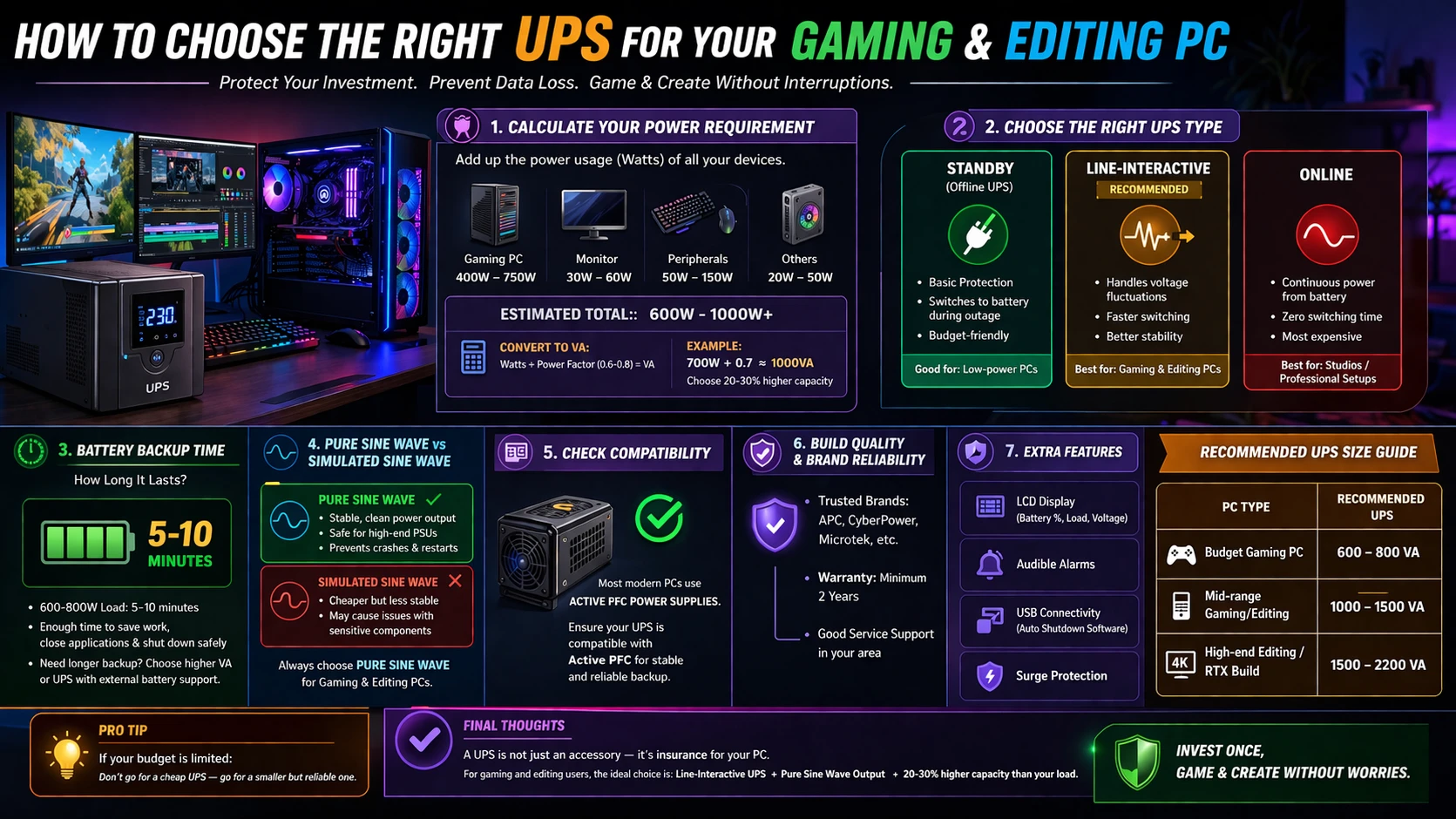
🔢 1. Calculate Your Power Requirement (Most Important Step)
Before buying a UPS, you need to know how much power your system consumes.
Typical Power Usage:
- Gaming PC (mid-high end): 400W – 750W
- Editing PC (high-end): 500W – 900W+
- Monitor + peripherals: 100W – 200W
👉 Total Estimate: ~600W to 1000W
UPS Rating Basics:
- UPS is rated in VA (Volt-Amps), not Watts
- Conversion:
👉 Watts ÷ Power Factor (0.6–0.8) = VA
Example:
If your setup uses 700W →
👉 700 ÷ 0.7 ≈ 1000VA UPS minimum
👉 Verdict: Always choose a UPS with 20–30% extra capacity
⚡ 2. Choose the Right UPS Type
🟢 Standby (Offline UPS)
- Basic protection
- Switches to battery during outage
- Budget-friendly
👉 Good for: Low-power PCs
🟡 Line-Interactive UPS (Recommended ✅)
- Handles voltage fluctuations
- Faster switching
- Better stability
👉 Best for: Gaming & Editing PCs
🔴 Online UPS
- Continuous power from battery
- Zero switching time
- Expensive
👉 Best for: Studios / professional setups
🔋 3. Battery Backup Time (How Long It Lasts)
UPS is not meant for long gaming sessions—it’s for safe shutdown.
Typical Backup:
- 600–800W load → 5–10 minutes
👉 Enough to:
- Save your project
- Exit software
- Shut down safely
👉 If you want longer backup → go for higher VA or external battery UPS
🧠 4. Pure Sine Wave vs Simulated Sine Wave
This is something most people ignore—but it’s important.
✅ Pure Sine Wave UPS:
- Stable power output
- Compatible with high-end PSUs
- Prevents crashes/restarts
❌ Simulated Sine Wave:
- Cheaper
- Can cause issues with gaming/editing PCs
👉 Verdict: Always go for Pure Sine Wave UPS for high-end PCs
🔌 5. Check Compatibility with Your PSU
Modern PCs use Active PFC power supplies.
👉 These require:
- Stable voltage
- Clean power waveform
👉 Pairing them with a bad UPS can cause:
- Random shutdowns
- No backup during outage
👉 Solution: Choose UPS specifically compatible with Active PFC
🧊 6. Build Quality & Brand Reliability
Your UPS protects expensive components—don’t compromise here.
Look for:
- Trusted brands (APC, CyberPower, Microtek, etc.)
- Warranty (at least 2 years)
- Service support in your area
🔇 7. Extra Features That Matter
- LCD display (battery status, load)
- Audible alarms
- USB connectivity (auto shutdown software)
- Surge protection
🏁 Recommended UPS Size Guide
| PC Type | Recommended UPS |
|---|---|
| Budget Gaming PC | 600–800 VA |
| Mid-range Gaming/Editing | 1000–1500 VA |
| High-end Editing / RTX Build | 1500–2200 VA |
🔥 Pro Tip
👉 If your budget is limited:
Don’t go for a cheap UPS—go for a smaller but reliable one
💡 Final Thoughts
A UPS is not just an accessory—it’s insurance for your PC.
For gaming and editing users, the ideal choice is:
✔ Line-Interactive UPS
✔ Pure Sine Wave Output
✔ 20–30% higher capacity than your load
Invest once, and you’ll save yourself from costly repairs and lost work.