
 processor-Intel

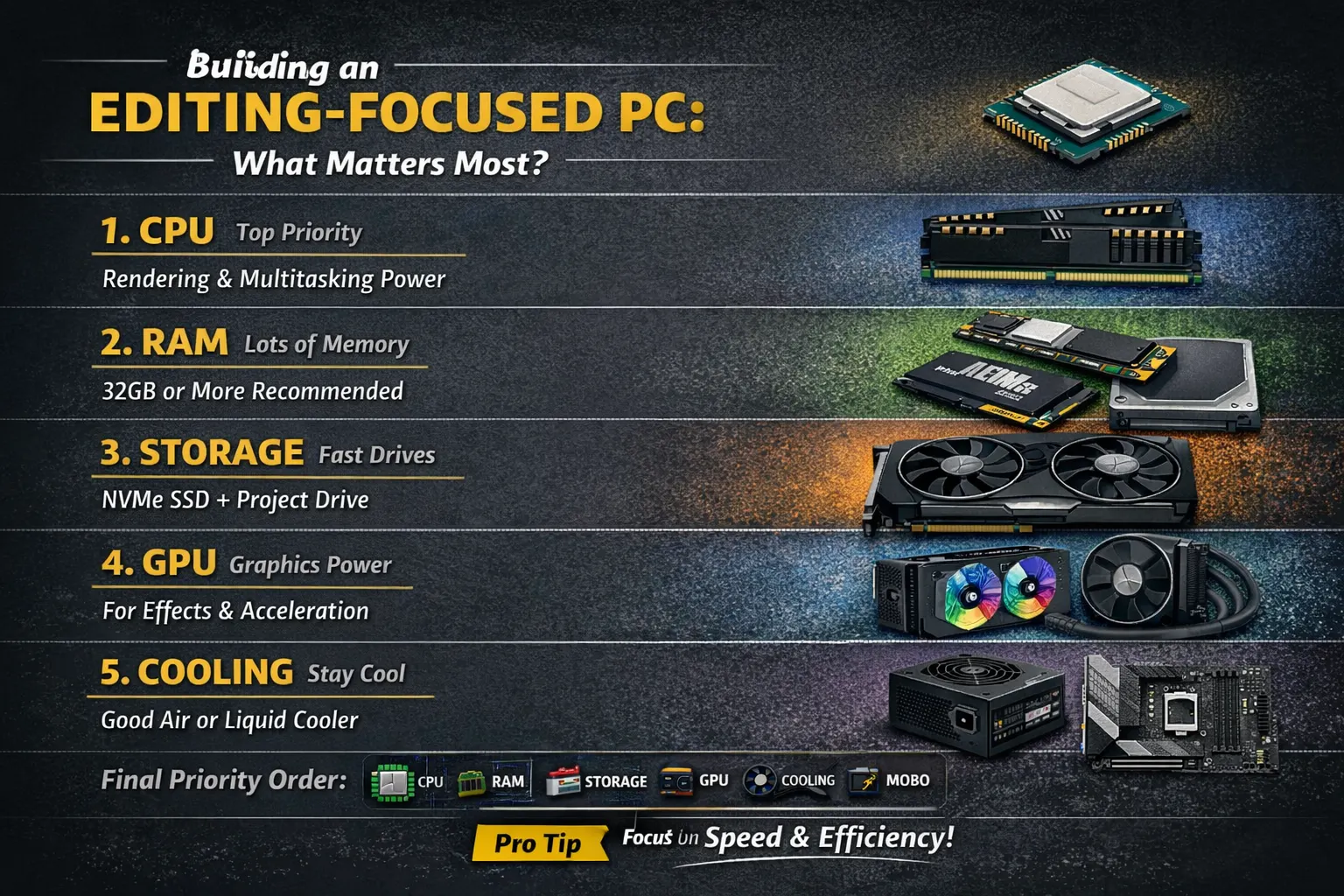
If you’re building a PC specifically for video editing, photo editing, or content creation, your priorities are very different from a gaming setup. While flashy RGB and ultra-high FPS matter for gamers, editors need speed, stability, and efficiency.
Let’s break down exactly which components you should prioritize—and why.
🎯 1. Processor (CPU) — Your #1 Priority
For editing workloads, the CPU is the backbone of your system.
Why it matters:
- Handles rendering, encoding, and exporting
- Powers timeline playback and effects processing
- Crucial for multitasking (editing + background tasks)
What to look for:
- High core and thread count (8 cores minimum, 12–16 ideal)
- Strong single-core performance for smooth UI
👉 Verdict: Spend the biggest chunk of your budget here.
🚀 2. RAM (Memory) — Smooth Workflow Essential
Editing software eats RAM—especially with high-resolution footage.
Recommended:
- 16GB → Minimum (basic editing)
- 32GB → Sweet spot (most users)
- 64GB+ → 4K/8K editing, heavy effects
Why it matters:
- Prevents lag while scrubbing timeline
- Helps with multitasking (Premiere + After Effects + Chrome 😅)
👉 Verdict: Never cheap out on RAM for editing.
🎮 3. Graphics Card (GPU) — Important, But Not #1
Unlike gaming, GPU is secondary for most editing tasks—but still important.
What it helps with:
- GPU acceleration (Premiere Pro, DaVinci Resolve)
- Effects, color grading, AI features
Recommendation:
- Mid to high-tier GPU (depending on software)
- NVIDIA GPUs often preferred for better software support
👉 Verdict: Important, but don’t overspend unless you’re doing heavy color grading or 3D work.
💾 4. Storage — Speed = Productivity
Slow storage can kill your editing experience.
Ideal Setup:
- SSD (NVMe) for OS + software
- Separate SSD for active projects
- HDD/SSD for storage/archives
Why it matters:
- Faster file loading
- Smooth playback of high-resolution footage
- Faster exports
👉 Verdict: Always go SSD—preferably NVMe.
🧊 5. Cooling — Stability Matters
Editing sessions can last hours. Heat = performance drop.
Options:
- Good air cooler (budget)
- AIO liquid cooler (better for high-end CPUs)
👉 Verdict: Don’t ignore cooling—it protects performance.
⚡ 6. Power Supply (PSU) — Reliable Foundation
A stable PSU ensures your expensive components are safe.
Recommendation:
- 80+ Bronze minimum (Gold preferred)
- Buy from trusted brands
👉 Verdict: Don’t go cheap—this protects everything.
🧩 7. Motherboard — Features Over Flash
Motherboard doesn’t directly affect performance much, but it connects everything.
Look for:
- Enough RAM slots (future upgrades)
- NVMe support
- Good VRMs for CPU stability
👉 Verdict: Mid-range is usually enough.
🖥️ Bonus: Monitor (Often Overlooked!)
For editing, your display is critical.
Prioritize:
- Color accuracy (sRGB / AdobeRGB)
- IPS panel
- At least 1080p (1440p or 4K preferred)
🏁 Final Priority Order (Most to Least Important)
- CPU 🧠
- RAM 🧬
- Storage 💾
- GPU 🎮
- Cooling 🧊
- PSU ⚡
- Motherboard 🧩
🔥 Pro Tip
If your budget is limited:
👉 Invest in CPU + RAM + SSD first
👉 Upgrade GPU later
💡 Conclusion
An editing PC is all about efficiency, speed, and reliability. Focus on the components that actually impact your workflow—not just specs on paper.
Build smart, not flashy—and your editing experience will be smooth, fast, and frustration-free 🚀