
 processor-Intel

Whether you’re building a new gaming PC or upgrading an existing one, you’ve probably heard the term “bottleneck.” Many PC users worry that one component might hold back the performance of the entire system. But what exactly is a bottleneck, and how can you identify it?
This guide explains CPU and GPU bottlenecks in simple terms so you can make better hardware decisions.
What Is a Bottleneck?
A bottleneck occurs when one component in your PC cannot keep up with another component, limiting overall performance.
Think of it like traffic on a highway. Even if most lanes are moving quickly, a single narrow lane can slow down the entire flow of traffic.
In a PC, the most common bottlenecks occur between the CPU (Processor) and the GPU (Graphics Card).
What Is a CPU Bottleneck?
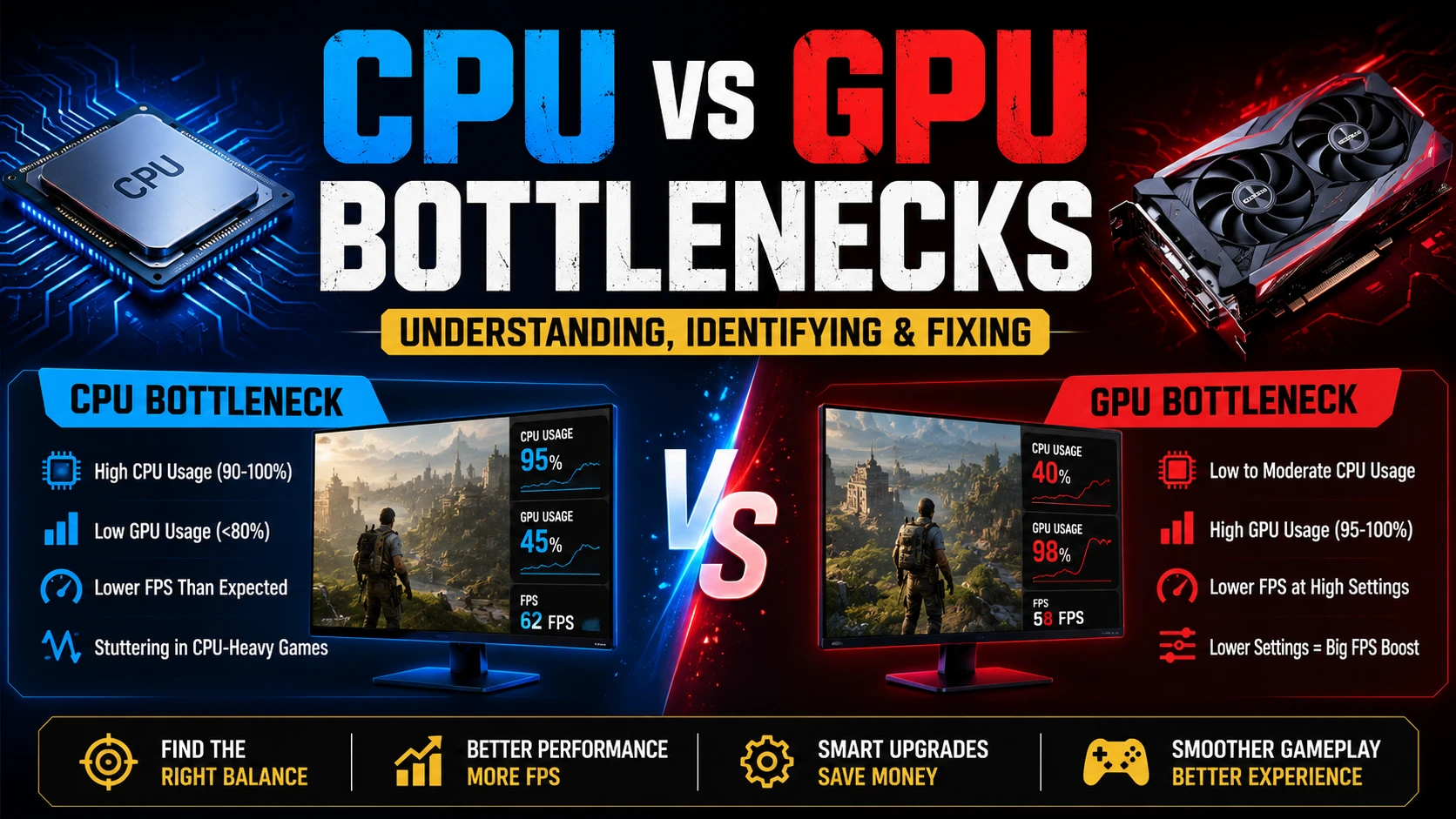
A CPU bottleneck happens when the processor cannot send data to the graphics card fast enough.
As a result:
- GPU usage remains low.
- FPS is lower than expected.
- Upgrading the GPU may not significantly improve performance.
Common Signs of a CPU Bottleneck
- CPU usage constantly near 90–100%.
- GPU usage frequently below 80%.
- Stuttering in CPU-heavy games.
- Low FPS despite having a powerful graphics card.
Example
Pairing an older budget processor with a high-end graphics card such as the NVIDIA GeForce RTX 5080 can create a CPU bottleneck because the processor may struggle to keep up with the GPU’s capabilities.
What Is a GPU Bottleneck?
A GPU bottleneck occurs when the graphics card reaches its limits before the processor does.
This is actually common and often desirable in gaming systems.
Common Signs of a GPU Bottleneck
- GPU usage near 95–100%.
- CPU usage remains moderate.
- Lower FPS at higher resolutions and graphics settings.
- Reducing graphics settings noticeably increases FPS.
Example
A modern processor paired with an entry-level graphics card may result in the GPU limiting gaming performance.
CPU Bottleneck vs GPU Bottleneck
| Factor | CPU Bottleneck | GPU Bottleneck |
|---|---|---|
| CPU Usage | Very High | Moderate |
| GPU Usage | Low to Medium | Very High |
| Common At | 1080p Gaming | 1440p/4K Gaming |
| Causes | Weak CPU | Weak GPU |
| FPS Impact | Stuttering and lower FPS | Lower FPS but smoother gameplay |
Which Bottleneck Is Better?
For gaming, a GPU bottleneck is generally preferred.
Why?
- It means your graphics card is being fully utilized.
- Games remain smoother.
- Upgrading the GPU directly improves performance.
A CPU bottleneck can lead to:
- Stuttering
- Inconsistent frame times
- Lower minimum FPS
How Resolution Affects Bottlenecks
1080p Gaming
More CPU-intensive because the GPU can render frames quickly.
1440p Gaming
A more balanced workload between CPU and GPU.
4K Gaming
Mostly GPU-dependent because rendering demands increase dramatically.
How to Check for Bottlenecks
Use monitoring software such as:
- MSI Afterburner
- HWiNFO
- CapFrameX
Monitor:
- CPU usage
- GPU usage
- Temperature
- Frame times
- FPS
How to Fix a CPU Bottleneck
1. Upgrade Your Processor
A newer CPU can significantly improve gaming performance.
2. Enable XMP/EXPO
Faster memory can help CPU performance.
3. Close Background Applications
Reduce unnecessary CPU load.
4. Overclock (If Supported)
Additional CPU frequency can improve frame rates.
How to Fix a GPU Bottleneck
1. Upgrade Your Graphics Card
The most effective solution.
2. Lower Graphics Settings
Reduce demanding options like:
- Ray Tracing
- Shadow Quality
- Anti-Aliasing
3. Use Upscaling Technologies
Technologies such as:
- NVIDIA DLSS
- AMD FidelityFX Super Resolution
can boost FPS significantly.
The Ideal PC Balance
A well-balanced PC ensures:
- CPU and GPU are utilized efficiently.
- Stable frame rates.
- Better value for money.
- Easier future upgrades.
Instead of chasing the most expensive hardware, focus on matching components appropriately for your gaming resolution and workload.
Conclusion
CPU and GPU bottlenecks are a normal part of PC performance. The goal isn’t to eliminate bottlenecks completely—it’s to create a balanced system where neither component severely limits the other.
For most gamers, having the GPU as the primary limiting factor is ideal because it typically delivers smoother gameplay and makes future upgrades more straightforward.
By monitoring your system and choosing compatible hardware, you can build a PC that delivers excellent performance without wasting money on mismatched components.