
 processor-Intel

When building a new gaming or editing PC, one of the biggest questions people ask is:
“Should I go with air cooling or liquid cooling?”
And honestly, the internet makes this topic way more complicated than it needs to be.
Some people say liquid cooling is mandatory for high-end PCs. Others say air coolers are cheaper, safer, and more reliable.
So what actually makes sense for your PC?
Let’s break it down in simple terms.
First — What Do CPU Coolers Actually Do?
Your processor generates heat while gaming, editing videos, streaming, or rendering.
A CPU cooler’s job is simple:
- Pull heat away from the processor
- Keep temperatures under control
- Prevent performance drops or overheating
If cooling is poor, your PC may:
- Lose FPS in games
- Slow down during editing
- Become noisy
- Shut down unexpectedly
That’s why choosing the right cooler matters.
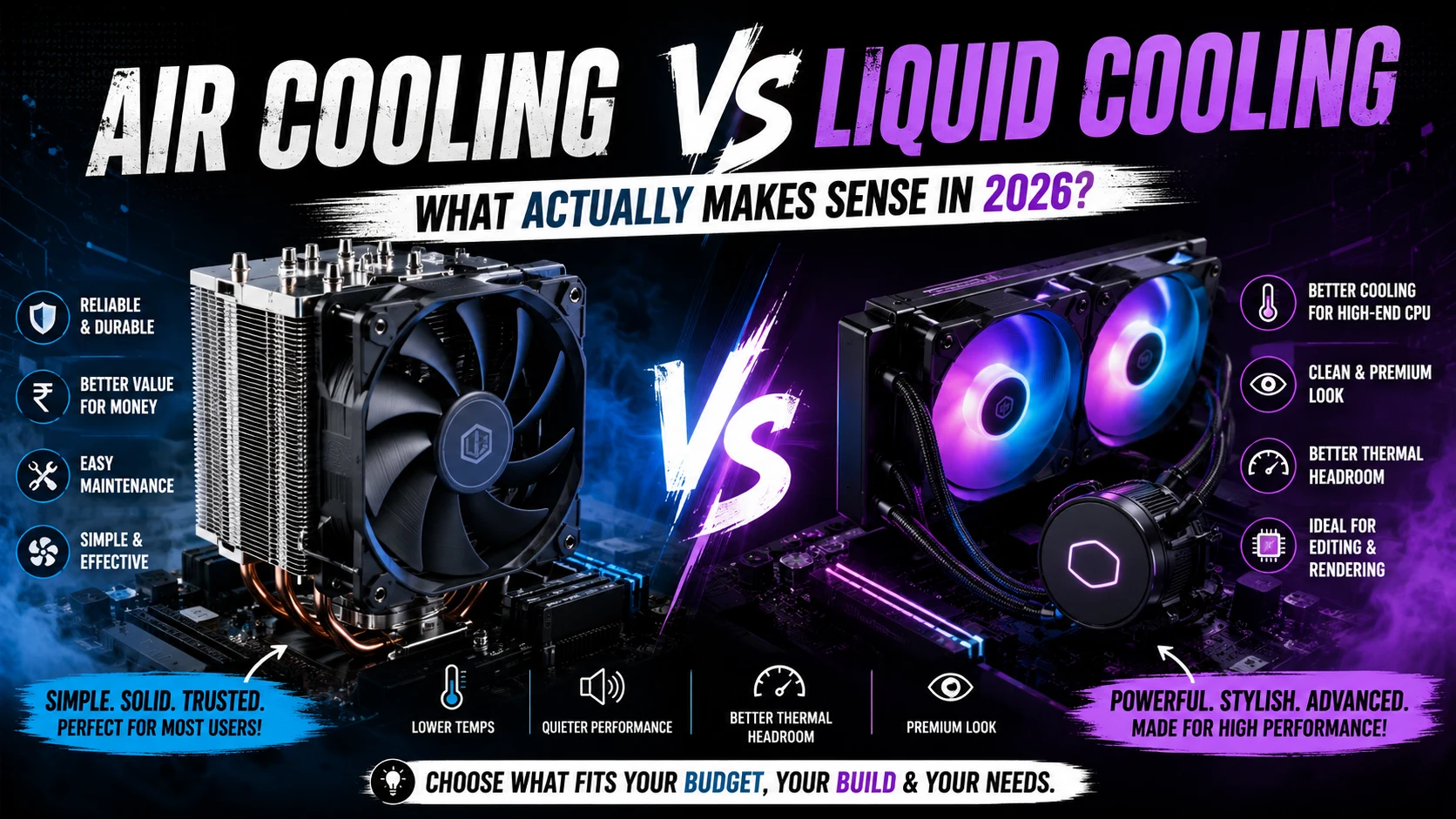
What Is Air Cooling?
Air coolers use:
- A metal heatsink
- Heat pipes
- One or two fans
The heat moves from the CPU into the heatsink, and the fan pushes hot air away.
Why People Still Love Air Coolers
1. They’re Reliable
Air coolers have very few failure points.
No pump.
No liquid.
No leakage concerns.
A good air cooler can easily last for years.
2. Better Value for Money
For most gamers, a decent air cooler is more than enough.
You don’t need to spend huge money to get good temperatures.
3. Easy Maintenance
Cleaning an air cooler is simple:
- Remove dust
- Clean fans
- Done
That’s it.
But Air Cooling Has Downsides Too
Big Size
Some large air coolers can:
- Block RGB RAM
- Make the build look bulky
- Create installation issues in smaller cabinets
Higher Noise Under Heavy Load
When temperatures rise, fans spin faster.
That can make the system louder during gaming or rendering.
What Is Liquid Cooling?
Liquid coolers (AIO coolers) use:
- A pump
- Tubes
- Liquid coolant
- A radiator with fans
Instead of directly cooling with metal fins, the liquid transfers heat away from the CPU.
Why Liquid Cooling Looks So Popular
Let’s be honest:
AIO coolers look amazing.
Especially in:
- White theme PCs
- RGB builds
- Premium gaming setups
That clean aesthetic is one reason many people choose them.
But looks aren’t the only reason.
Advantages of Liquid Cooling
1. Better Temperatures on High-End CPUs
If you’re using processors like:
- Ryzen 9
- Intel i9
- High-end editing CPUs
Liquid cooling can help maintain lower temperatures during heavy workloads.
Especially for:
- 4K editing
- Rendering
- Streaming
- Long gaming sessions
2. Cleaner Build Appearance
Since the bulky heatsink is removed from the motherboard area, the PC looks cleaner and more premium.
3. Better Thermal Headroom
Liquid coolers generally handle sustained heavy loads better than basic air coolers.
But Liquid Cooling Isn’t Perfect Either
Pump Failure Can Happen
AIO coolers have moving pumps.
If the pump fails:
- Temperatures rise quickly
- Cooling performance drops
More Expensive
A good liquid cooler costs noticeably more than a good air cooler.
And cheap AIOs are usually not worth buying.
More Points of Failure
Even though leaks are rare nowadays, liquid coolers still have:
- Pumps
- Tubes
- Liquid
- Extra cables
That means more complexity overall.
So… Which One Should You Choose?
Here’s the simplest answer:
Choose Air Cooling If:
- You’re building a budget or mid-range PC
- You want reliability
- You prefer low maintenance
- You mainly play games
- You want better value for money
Air cooling is enough for most users.
Choose Liquid Cooling If:
- You have a high-end CPU
- You do heavy editing/rendering
- You want a clean premium look
- You care about aesthetics
- You plan long heavy workloads
The Biggest Myth About Liquid Cooling
A lot of people think:
“Liquid cooling automatically means better performance.”
That’s not always true.
A bad cheap liquid cooler can perform worse than a good air cooler.
Cooling quality matters more than cooling type.
Final Thoughts
In 2026, both air cooling and liquid cooling are excellent choices.
The best option depends on:
- Your budget
- Your CPU
- Your usage
- Your cabinet size
- Your aesthetic preference
For most gamers, a quality air cooler is already enough.
But if you want a cleaner-looking setup and use a powerful CPU for editing or rendering, liquid cooling definitely makes sense.
At the end of the day, the goal is simple:
Keep your PC cool, stable, and quiet — without overspending on things you don’t actually need.