
 processor-Intel

Building a new gaming PC is exciting. After setting up your hardware, installing Windows, and updating drivers, the next big step is downloading genuine games safely and legally. Genuine games not only give you the best gaming experience, but also protect your PC from viruses, malware, crashes, and performance issues often caused by pirated software.
In this guide, we’ll explain the best ways to download original games, trusted platforms to use, and important tips every gamer should know.
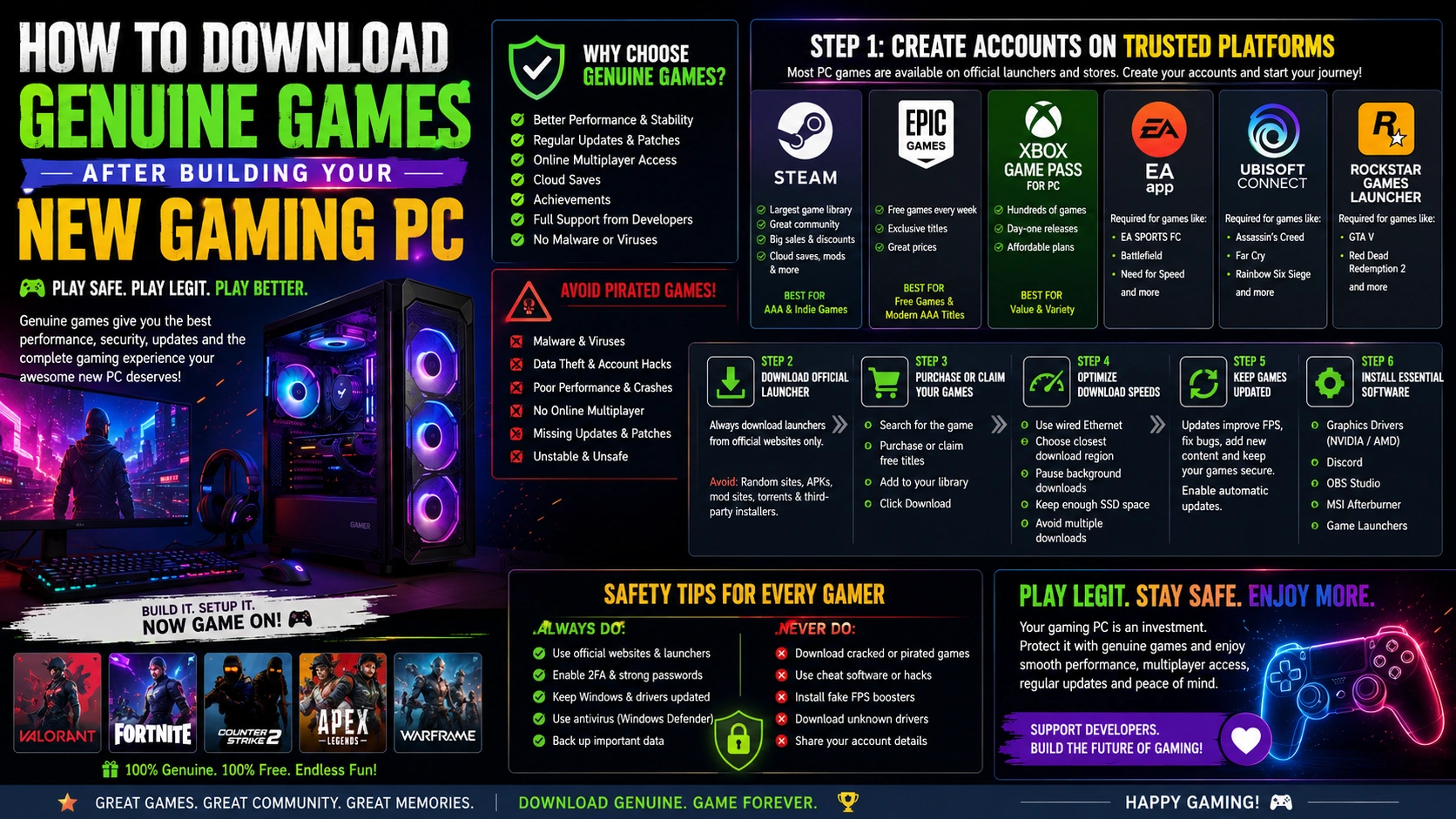
Why You Should Always Download Genuine Games
Many new gamers are tempted to download cracked or pirated games because they seem “free.” However, pirated games come with major risks:
- Malware and viruses
- Data theft and hacked accounts
- Poor game performance
- No online multiplayer support
- Missing updates and patches
- Possible hardware instability
Original games provide:
✅ Better performance
✅ Regular updates
✅ Online multiplayer access
✅ Cloud saves
✅ Achievement systems
✅ Full support from developers
A high-end gaming PC deserves genuine games for the best experience.
Step 1: Create Gaming Platform Accounts
Most PC games today are downloaded through official launchers or gaming stores. Start by creating accounts on trusted platforms.
Popular Genuine Game Platforms
1. Steam
The most popular PC gaming platform with thousands of games.
Features:
- Massive game library
- Seasonal sales and discounts
- Community features
- Workshop mods support
- Cloud saving
Best for:
AAA games, indie games, multiplayer titles.
2. Epic Games
Known for free weekly games and exclusive titles.
Features:
- Free games every week
- Unreal Engine integration
- Competitive game pricing
Best for:
Free games and modern AAA titles.
3. Xbox Game Pass for PC
Excellent subscription service for gamers.
Features:
- Hundreds of games
- Day-one game releases
- Budget-friendly monthly plans
Best for:
Gamers who want access to many games without buying individually.
4. EA App
Required for games like:
- FIFA / EA Sports FC
- Battlefield
- Need for Speed
5. Ubisoft Connect
Required for:
- Assassin’s Creed
- Far Cry
- Rainbow Six Siege
6. Rockstar Games Launcher
Needed for:
- GTA V
- Red Dead Redemption 2
Step 2: Download the Official Launcher
Always download launchers from official websites only.
Avoid:
❌ Random APK/mod websites
❌ Torrent websites
❌ Unknown third-party installers
These often contain hidden malware that can damage your new PC.
Step 3: Purchase or Claim Your Games
Once your launcher is installed:
- Search for the game
- Purchase it or claim free titles
- Add the game to your library
- Click Download
Most launchers allow you to choose the install location. If you have:
- SSD → Install competitive games here for faster loading
- HDD → Use for large storage-heavy games
Step 4: Optimize Download Speeds
Large modern games can exceed 100GB, so download speeds matter.
Tips to Improve Download Speed
- Use a wired Ethernet connection
- Pause background downloads
- Set the closest download region in launcher settings
- Keep sufficient SSD space available
- Avoid downloading multiple games together
Step 5: Keep Games Updated
Game updates are important because they:
- Improve FPS and stability
- Fix bugs
- Add new content
- Improve security
Enable automatic updates in your launcher settings.
Step 6: Install Essential Gaming Software
Before gaming, install these important applications:
Recommended Software
- Graphics drivers
- NVIDIA App
- AMD Adrenalin
- Game launchers
- Steam
- Epic Games
- Xbox App
- Utilities
- Discord
- OBS Studio
- MSI Afterburner
These tools improve communication, streaming, monitoring, and performance.
Free Genuine Games You Can Start With
Here are some excellent free-to-play games:
- Valorant
- Fortnite
- Counter-Strike 2
- Apex Legends
- Warframe
These games are completely genuine and free to download.
Important Safety Tips for New PC Gamers
Always Avoid:
- Cracked games
- Cheat software
- Fake FPS boosters
- Unknown driver installers
Always Use:
- Windows Defender or trusted antivirus
- Official websites
- Strong passwords with 2FA
- Genuine launchers
Final Thoughts
Your gaming PC is an investment, and genuine games help you get the best performance, security, and overall gaming experience. Trusted platforms like Steam, Epic Games, and Xbox make downloading games simple, safe, and reliable.
Instead of risking your expensive hardware with pirated files, build a secure gaming library with original titles and enjoy smooth gameplay, regular updates, and multiplayer access without worries.
Happy Gaming! 🎮